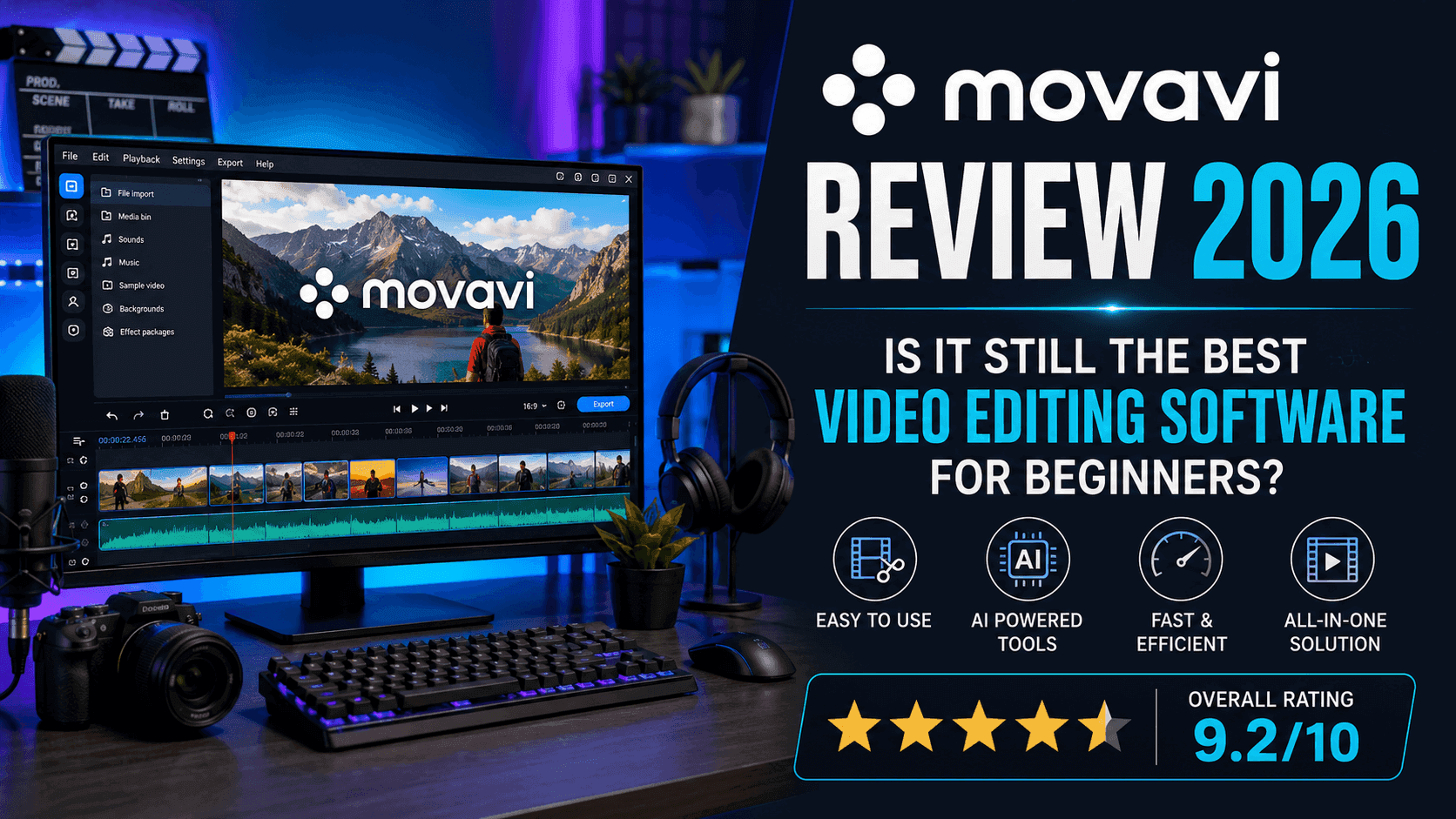
Movavi Review 2026: Is It Still the Best Video Editing Software for Beginners?
Last Updated: July 2026
Creating professional-looking videos no longer requires expensive software or years of editing experience. Whether you’re producing YouTube videos, recording online courses, creating marketing content, or editing family memories, today’s users expect software that’s powerful enough to deliver high-quality results while remaining simple enough to learn quickly.
That’s exactly where Movavi has built its reputation.
Since its launch in 2004, Movavi has grown into one of the most recognized multimedia software developers, offering an extensive collection of tools for video editing, screen recording, media conversion, photo editing, and slideshow creation. Instead of competing directly with complex professional software like Adobe Premiere Pro or DaVinci Resolve, Movavi focuses on delivering an intuitive editing experience that allows beginners and intermediate creators to produce polished content without a steep learning curve.
But with so many video editing applications available today—including Filmora, CapCut, Camtasia, and Adobe Premiere Pro—is Movavi still worth buying in 2026?
In this detailed Movavi Review, we’ll evaluate the company’s most popular software, compare it with leading competitors, examine its performance, pricing, AI-powered features, ease of use, customer feedback, and overall value to help you decide whether it’s the right multimedia suite for your workflow.
Quick Verdict
Movavi continues to be one of the best multimedia software suites for beginners, educators, small businesses, and content creators who want professional-looking results without spending weeks learning complicated editing software.
Its biggest strengths are its clean interface, fast rendering speeds, AI-powered editing tools, and affordable pricing compared to professional editing suites.
Although advanced editors may eventually outgrow some of its capabilities, Movavi delivers an excellent balance between simplicity, functionality, and performance, making it one of the easiest recommendations for first-time video editors.
Ready to create professional videos without a steep learning curve?
- Extremely beginner-friendly interface
- Fast rendering performance
- Excellent AI-powered editing features
- Available for Windows and macOS
- Affordable lifetime license options
- Frequent updates and improvements
- Ideal for YouTubers and educators
- Free trial adds watermarks
- Fewer advanced tools than Premiere Pro
- Some AI features require better hardware
- Professional color grading is limited
- Limited collaboration features
- Plugin ecosystem is smaller than Adobe's
Why Is Movavi So Popular?
The biggest reason behind Movavi’s success is simple—it removes the intimidation factor from video editing.
Professional editing software often overwhelms new users with hundreds of tools, complicated timelines, technical terminology, and advanced workflows. While experienced editors appreciate that level of control, beginners usually want software that helps them produce quality videos quickly.
Movavi takes the opposite approach.
Its interface is clean, well organized, and designed around simplicity. Instead of forcing users to learn dozens of editing concepts before creating their first project, Movavi allows them to import media, drag clips onto the timeline, apply effects, add transitions, adjust audio, and export finished videos within minutes.
The company has also expanded beyond video editing by developing a complete multimedia ecosystem. Today, users can choose dedicated applications for screen recording, media conversion, photo editing, and slideshow creation, or purchase the all-in-one Video Suite that combines several of these tools into a single package.
This flexibility has helped Movavi attract a wide audience ranging from YouTubers and educators to marketers, freelancers, students, and small business owners.
About Movavi
Founded in 2004, Movavi has become a globally recognized software developer specializing in multimedia applications for Windows and macOS. Over the years, the company has focused on creating software that balances powerful features with ease of use, making advanced editing tools accessible to users with little or no prior experience.
Rather than concentrating solely on one flagship application, Movavi has built an ecosystem of products that cover nearly every stage of multimedia creation.
Its software portfolio includes:
- Movavi Video Editor
- Movavi Video Suite
- Movavi Screen Recorder
- Movavi Video Converter
- Movavi Photo Editor
- Movavi Slideshow Maker
This approach allows users to purchase individual applications based on their needs or choose the complete suite for a more comprehensive workflow.
First Impressions
The first thing most users notice after installing Movavi is how approachable everything feels.
Unlike many professional editing applications that overwhelm first-time users with dozens of panels and technical controls, Movavi keeps the workspace clean and intuitive. Importing media is straightforward, editing tools are logically arranged, and even complex features like motion tracking or chroma key remain surprisingly easy to access.
Performance is another positive first impression.
The software launches quickly, responds smoothly during editing, and takes advantage of hardware acceleration to reduce rendering times on compatible systems. For users working on YouTube videos, tutorials, presentations, or social media content, this translates into a noticeably faster editing experience.
While experienced editors may initially find the interface somewhat simplified, beginners are likely to appreciate the reduced complexity and faster learning curve.
Movavi Video Editor Review
Movavi Video Editor remains the company’s flagship product and the software most people associate with the brand.
Designed specifically for beginners and intermediate creators, it combines an intuitive timeline with a surprisingly capable collection of editing tools that allow users to produce polished videos without mastering professional editing software.
One of its strongest features is the drag-and-drop workflow. Importing footage, arranging clips, trimming unwanted sections, adding transitions, inserting music, and exporting finished projects all feel natural, even for someone editing their first video.
Recent versions have also introduced several AI-powered features, including automatic background removal, motion tracking, noise reduction, and enhanced visual effects. While these tools won’t completely replace professional post-production workflows, they significantly reduce editing time for everyday projects.
For content creators producing YouTube videos, online courses, product reviews, marketing content, or family videos, Movavi Video Editor provides more than enough functionality without becoming unnecessarily complicated.
Want to see everything Movavi Video Editor can do before purchasing?
Movavi Video Suite Review
While Movavi Video Editor is the company’s flagship product, many users ultimately choose Movavi Video Suite because it combines several applications into one convenient package.
Instead of purchasing separate software for editing videos, recording your screen, converting media files, and creating slideshows, Video Suite brings these tools together under one license.
For content creators, educators, freelancers, and small businesses, this all-in-one approach can simplify workflows while offering better overall value than purchasing multiple standalone applications.
The suite includes:
- Video Editor
- Screen Recorder
- Video Converter
- Slideshow Maker
- Basic media management tools
Rather than constantly switching between different software, users can complete most everyday multimedia tasks from a single ecosystem.
If your work regularly involves recording tutorials, editing videos, converting files, and creating presentations, Video Suite is arguably the best value within Movavi’s product lineup.
Movavi Screen Recorder Review
Screen recording has become essential for YouTubers, online educators, software reviewers, gamers, and remote workers.
Movavi Screen Recorder is designed to keep this process as simple as possible.
The software allows users to record their entire screen, a selected area, webcam footage, microphone input, and system audio either individually or simultaneously. Recording quality is excellent, while scheduling features make it possible to capture webinars, online meetings, and live streams automatically.
One feature we particularly like is the ability to annotate recordings while they’re in progress. Users can highlight important areas, draw on the screen, or emphasize specific actions without needing additional software.
Although dedicated applications like Camtasia offer more advanced editing capabilities, Movavi Screen Recorder delivers everything most users need while remaining significantly easier to learn.
Movavi Video Converter Review
Video conversion may not be the most exciting task, but it’s something many creators need almost every day.
Movavi Video Converter performs this job extremely well.
Supporting more than 180 video, audio, and image formats, the software allows users to convert files quickly while maintaining excellent output quality. Whether you’re preparing videos for YouTube, compressing large files before uploading them, or converting media for different devices, the process is straightforward.
Batch conversion is another major advantage.
Instead of converting files one at a time, users can process multiple videos simultaneously, saving considerable time when working with large projects.
Hardware acceleration further improves performance, making conversions noticeably faster on compatible systems.
Movavi Photo Editor Review
Although video software remains Movavi’s biggest strength, its Photo Editor deserves recognition as well.
Rather than competing with professional image editing software like Adobe Photoshop, Movavi Photo Editor focuses on speed and simplicity.
Users can remove backgrounds, erase unwanted objects, improve image quality, retouch portraits, adjust colors, and apply creative effects using an interface that’s remarkably easy to understand.
For bloggers, affiliate marketers, small businesses, and social media creators who need quick image edits without spending hours learning Photoshop, Movavi Photo Editor offers an excellent alternative.
AI Features
Artificial intelligence has become one of the biggest trends in multimedia software, and Movavi has steadily expanded its AI-powered toolkit.
Some of the most useful AI features include:
- Background removal without a green screen
- Motion tracking
- Noise reduction
- AI-powered upscaling
- Automatic enhancement
- Portrait retouching
- Object removal
These tools are designed to reduce editing time rather than replace professional workflows entirely.
For beginners, they make advanced editing techniques far more accessible, while intermediate users benefit from faster project completion.
Although Adobe Premiere Pro still offers more sophisticated AI capabilities, Movavi strikes an excellent balance between functionality and ease of use.
Performance & Speed
One area where Movavi consistently impresses is overall performance.
Video editing can be demanding on computer hardware, but Movavi has been optimized to deliver smooth playback, responsive editing, and relatively fast export speeds.
Hardware acceleration significantly reduces rendering times on supported graphics cards, making the software feel responsive even when working with larger projects.
During everyday editing tasks—including trimming clips, adding transitions, adjusting audio, inserting titles, and exporting videos—the software remains stable and easy to use.
While extremely large cinematic productions may still require professional editing software, Movavi performs exceptionally well for YouTube videos, online courses, business presentations, product reviews, tutorials, and social media content.
Pricing & Value for Money
Movavi positions itself between free editors and expensive professional software.
This pricing strategy works well because it gives users access to premium features without requiring the substantial monthly subscription costs associated with Adobe Creative Cloud.
Another advantage is the availability of lifetime licenses for several products.
Many competitors now rely exclusively on recurring subscriptions, so the option to purchase software outright remains attractive for buyers who prefer one-time payments.
Free trial versions are available across most applications, although exported videos include watermarks until a paid license is activated.
Overall, we believe Movavi offers excellent value, particularly for beginners and intermediate users who want professional-looking results without investing in more complex software.
Movavi vs Filmora
Filmora is probably Movavi’s closest competitor.
Both applications target beginners while offering modern interfaces and AI-powered editing features.
Filmora generally includes a larger collection of built-in effects and templates, making it particularly attractive for creators producing social media content.
Movavi, however, often feels cleaner and easier to navigate. Performance is also excellent, especially on mid-range computers.
If you value simplicity and speed, Movavi has a slight advantage.
If visual effects are your highest priority, Filmora may offer more creative flexibility.
Movavi vs Adobe Premiere Pro
Adobe Premiere Pro remains the industry standard for professional video editing.
It offers advanced color grading, extensive plugin support, collaborative workflows, and complete creative control.
Movavi doesn’t attempt to compete directly in that space.
Instead, it focuses on helping everyday creators produce high-quality videos without months of training.
For beginners, educators, YouTubers, affiliate marketers, and small businesses, Movavi is significantly easier to learn and far less intimidating.
Professional filmmakers and production studios, however, will still benefit from Premiere Pro’s advanced capabilities.
Movavi vs DaVinci Resolve
DaVinci Resolve is another powerful professional editing platform that has become increasingly popular because of its impressive free version.
Compared with Resolve, Movavi offers a much shorter learning curve and a far more beginner-friendly interface.
Resolve excels in advanced editing, visual effects, audio production, and Hollywood-level color grading.
Movavi focuses on speed, simplicity, and accessibility.
For new editors, Movavi provides a much smoother introduction to video editing, while experienced professionals may eventually outgrow its feature set.
| Who Should Buy Movavi? |
|---|
| YouTubers |
| Affiliate marketers |
| Bloggers & Social media creators |
| Online educators & Students |
| Freelancers |
| Small businesses |
| Beginners learning video editing |
| Who Should Skip Movavi? |
|---|
| You edit feature films or commercial productions. |
| You require advanced color grading workflows. |
| You depend on extensive third-party plugins. |
| You regularly collaborate with large production teams. |
Frequently Asked Questions
Is Movavi worth buying in 2026?
Yes. Movavi remains one of the best video editing software suites for beginners and intermediate users. Its intuitive interface, AI-powered editing tools, fast rendering, and affordable pricing make it an excellent choice for content creators, educators, marketers, and small businesses.
Is Movavi safe to install?
Yes. Movavi is a legitimate software company founded in 2004. Its software is regularly updated and downloaded by millions of users worldwide. As always, download it directly from the official Movavi website to ensure you’re installing the latest and safest version.
Does Movavi have a free version?
Movavi offers free trial versions of most of its applications. However, exported videos from the trial include a watermark, and some premium features remain locked until you purchase a license.
Is Movavi better than Filmora?
Both are excellent beginner-friendly editors.
Movavi focuses on simplicity, speed, and an uncluttered interface, while Filmora offers a larger collection of creative effects and templates. If ease of learning is your priority, Movavi has a slight advantage.
Is Movavi better than Adobe Premiere Pro?
Not necessarily—it depends on your needs.
Adobe Premiere Pro is designed for professional editors and production teams, offering advanced color grading, collaboration tools, and extensive plugin support.
Movavi is built for users who want professional-looking videos without the complexity of professional editing software.
Does Movavi support 4K video editing?
Yes. Movavi Video Editor supports 4K video editing and uses hardware acceleration to improve playback and rendering performance on compatible systems.
Can Movavi record my screen and webcam at the same time?
Yes. Movavi Screen Recorder allows simultaneous recording of your screen, webcam, microphone, and system audio, making it ideal for tutorials, presentations, webinars, and online courses.
Is there a lifetime license available?
Yes. Several Movavi products are available with a one-time lifetime license in addition to annual subscription plans. This makes Movavi appealing to users who prefer avoiding recurring software subscriptions.
Can beginners learn Movavi quickly?
Absolutely.
One of Movavi’s biggest strengths is its beginner-friendly design. Most users can start importing clips, editing videos, adding transitions, and exporting projects within their first session.
Final Verdict
Movavi continues to be one of the strongest multimedia software suites for beginners in 2026. Instead of overwhelming users with professional-grade complexity, it focuses on making video editing, screen recording, media conversion, and photo editing accessible to everyone.
Its clean interface, reliable performance, AI-powered tools, and affordable pricing make it an excellent choice for creators who want professional-looking results without investing months learning advanced editing software.
While experienced filmmakers may eventually require more powerful platforms like Adobe Premiere Pro or DaVinci Resolve, Movavi delivers an outstanding balance of simplicity, functionality, and value for the vast majority of users.
If you’re looking for an easy-to-use editing solution that can grow alongside your content creation journey, Movavi is absolutely worth considering.
Overall Rating
| Category | Rating |
|---|---|
| Ease of Use | ⭐⭐⭐⭐⭐ (9.8/10) |
| Features | ⭐⭐⭐⭐☆ (9.0/10) |
| Performance | ⭐⭐⭐⭐⭐ (9.2/10) |
| AI Tools | ⭐⭐⭐⭐☆ (8.9/10) |
| Value for Money | ⭐⭐⭐⭐⭐ (9.4/10) |
| Customer Satisfaction | ⭐⭐⭐⭐☆ (9.1/10) |